
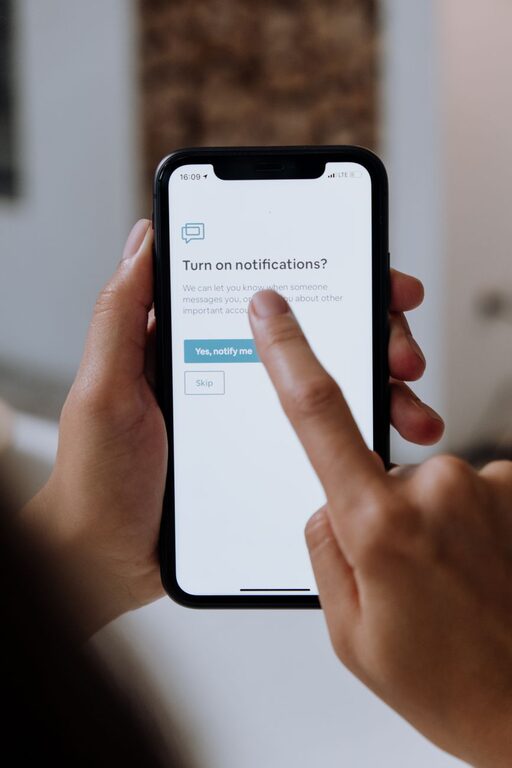
In today’s digital world, notifications from apps, emails, and devices can quickly become overwhelming. While they keep us informed, too many notifications can disrupt our focus, increase stress, and reduce productivity. Setting boundaries with notifications is essential for maintaining control over your time and attention. This post will guide you through practical tips for managing notifications effectively, helping you find a better balance between staying informed and staying focused.
Why Setting Boundaries with Notifications Matters
Notifications are designed to grab your attention. When they occur too frequently or at inappropriate times, they can interrupt important tasks, negatively impact your mood, and even impair your ability to relax. By setting clear boundaries, you create a healthier relationship with technology and improve your overall well-being.
Assess Your Current Notification Habits
Before making changes, spend a day or two observing how often you receive notifications and how you respond to them. Ask yourself:
– Which apps send the most notifications?
– Are all notifications necessary or helpful?
– Do you find yourself checking your phone or computer every time you get an alert?
– How do notifications affect your concentration or downtime?
Understanding your current habits will help you identify which notifications to keep, silence, or eliminate.
Tips for Setting Boundaries with Notifications
1. Customize Notification Settings by App
Most devices and apps allow you to customize notifications. Review the settings to:
– Turn off non-essential notifications.
– Change alert sounds to less intrusive options.
– Set notifications to appear silently (without sound or vibration).
– Opt for summary or batch notifications instead of immediate alerts.
This helps reduce unnecessary interruptions and lets you focus on important messages first.
2. Use “Do Not Disturb” and Focus Modes
Both smartphones and computers have “Do Not Disturb” or similar focus modes that temporarily suppress notifications. Use these options to:
– Block notifications during work hours.
– Prevent interruptions during meetings or focused tasks.
– Allow only calls or alerts from specific contacts or apps in emergencies.
Scheduling these modes in advance can help automate boundaries.
3. Set Specific Times for Checking Notifications
Rather than responding immediately to every alert, designate certain times throughout the day to review notifications. For example:
– Check emails and messages first thing in the morning, after lunch, and late afternoon.
– Avoid checking notifications right before bed or immediately after waking up.
This approach reduces distraction and helps preserve your attention for important work or personal time.
4. Prioritize Notifications with VIP Lists or Filters
Some email and messaging apps let you create VIP lists or filters to highlight messages from important contacts. Configure these features to:
– Ensure critical notifications get your attention promptly.
– Filter out less urgent messages to be viewed later.
This sorting process makes managing communication less overwhelming.
5. Turn Off Notifications for Social Media and Non-Work Apps
Social media and entertainment apps are often major sources of distraction. Consider:
– Disabling most or all notifications from these apps during work hours.
– Turning them off entirely if they tend to cause you frequent interruptions.
This helps maintain focus and supports better time management.
6. Use Notification Management Apps or Tools
There are apps designed to help manage and control notifications by grouping them, muting certain alerts, or providing analytics about your notification use. Explore options compatible with your device to:
– Gain insights into your habits.
– Automate notification control.
– Reduce digital clutter.
7. Establish Boundaries with Others About Your Availability
Setting clear communication expectations with colleagues, friends, and family can reduce pressure to respond immediately. Share your preferred contact methods and times to:
– Encourage respect for your focus periods.
– Avoid feeling guilty about delayed responses.
This openness helps create mutual understanding.
8. Regularly Review and Adjust Notification Settings
Your needs and routines may change over time, so schedule regular check-ins (once a month or quarter) to:
– Reassess which notifications are essential.
– Make adjustments based on your current workload and priorities.
– Remove apps or subscriptions that generate unnecessary alerts.
This ensures your notification settings stay relevant and effective.
Additional Tips for Reducing Notification Stress
– Use a physical alarm or clock: Avoid relying on phone alarms exclusively, which can lead to frequent phone checking.
– Mute group chats when inactive: Group messages often trigger continuous notifications; mute them when you need focus.
– Turn off notification previews: Disable message previews on lock screens for privacy and reduced distraction.
– Practice digital detoxes: Take regular breaks from screens to recharge mentally.
Conclusion
Notifications are an unavoidable part of modern life, but they don’t have to overwhelm you. By setting clear boundaries and managing notifications thoughtfully, you can protect your focus, reduce stress, and improve your productivity. Start small by adjusting a few key settings, and build your notification boundaries over time for lasting benefits.
Remember, technology should serve you—not the other way around. Taking control of your notifications is a simple step toward a more balanced digital life.